
Main Integration Purpose:
To bridge the gap between hiring and onboarding NEW employees coming from recruiting software and ensure a streamlined process, this integration has been done between Workable and Jisr to save the time and effort needed to add NEW employees' data automatically on Jisr.
Note: The above applies ONLY to users who have an active account on Workable
Through this integration, employees' data will be automatically filled in the Jisr system as reported by Workable for candidates who reached the hiring stage.
Integration Activation Steps:
1- Workable Side:
a. Generate an API access token for your Workable account ( Settings> Integrations> Access token ), then copy it.
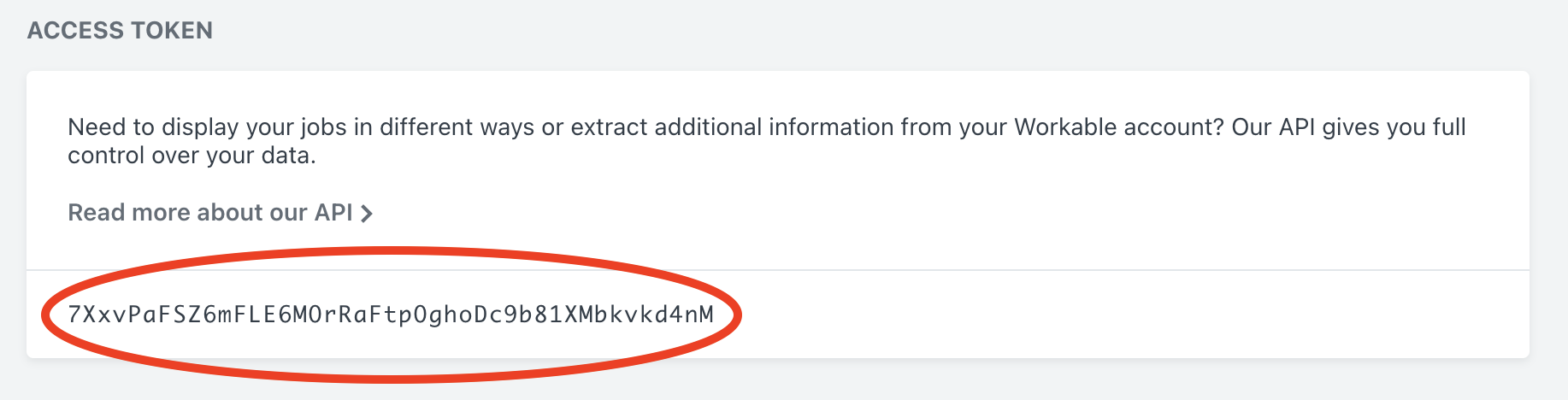
b. Copy the account subdomain which you can find in the company profile settings page on Workable.
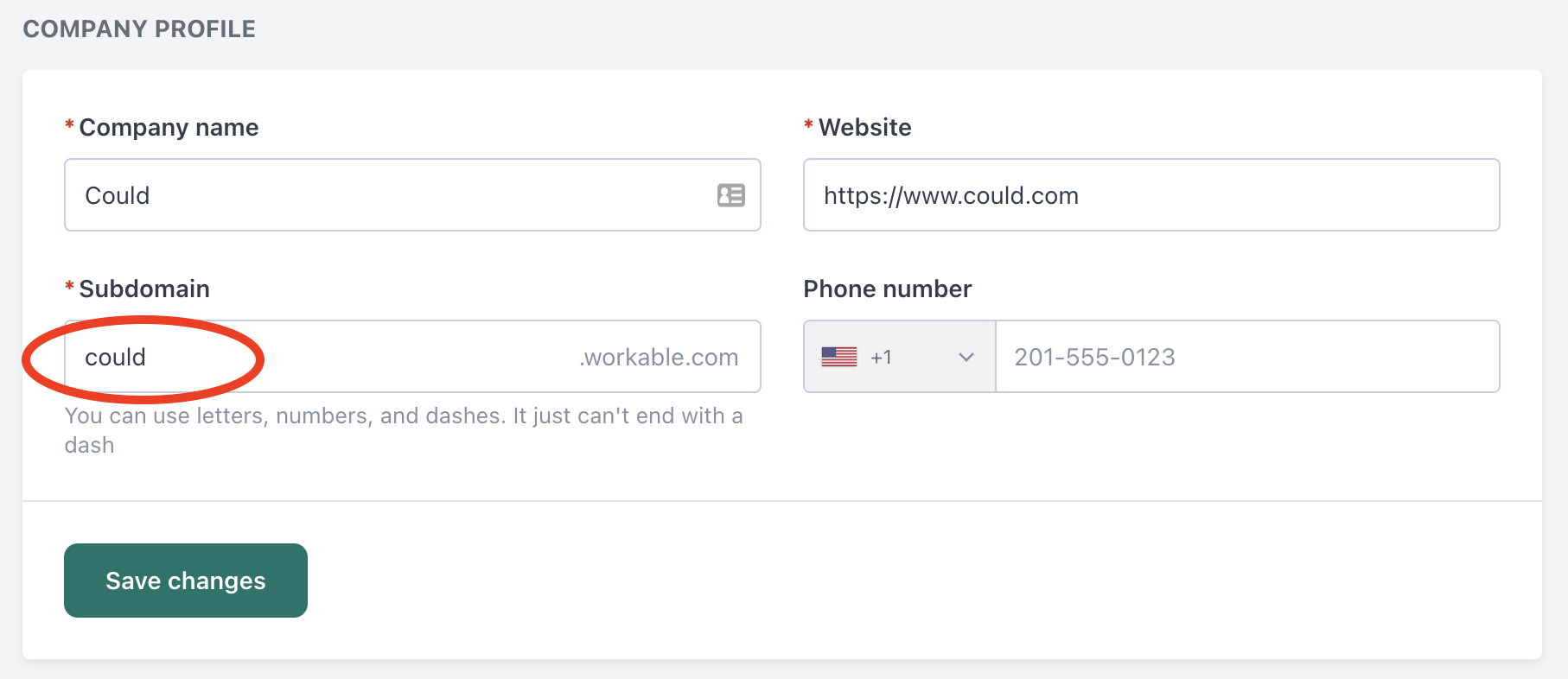
For more details click here
2- Jisr Side:
a. Go to Settings page > Integrations > Apps > Workable
b. Enable the Workable Integration by clicking on Connect button.
enter & paste the connection information, then click on Connect button.
c. Once the connection is successful, Jisr will retrieve all hired employee data from workable ( who reached the hiring stage ) & will show them at JirHR on the Hired Candidates page.
d. Navigate to the Hired Candidates page on Jisr to see the list of candidates coming from workable.
e. If the list of employees is not showing, click on the Sync button.
f. Select an employee from the list, then click on Add button to fill rest of the employee info. & complete adding process on Jisr.
Permissions Required to activate Workable Integration on Jisr
Workable integration card + connectivity will be available for employees who have the following roles/permissions:
Permissions Required to ADD New Employees Data to Jisr
-
An admin role on Jisr
-
A custom role was granted with "ADD New Employee Permission" as shown in the below screenshot:
Comments
0 comments
Please sign in to leave a comment.